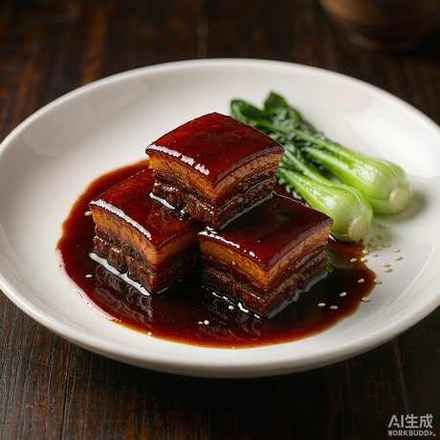
DrawDinner · WeChat Mini Program · An Independent Product Case

Three questions a day. One page of answers.

“What’s for dinner?” You ask it three times a day, and there is no right answer.
DrawDinner It does one thing only — decide this meal for you.

Role: Product Definition · Interaction Design · Implementation Timeline: Jul – Sep 2026 Platform: WeChat Mini Program + CloudBase
13
full pages
50
structured recipes
30+
cloud APIs
6
growth levels
SHOWCASE

Another angle. One more look.

Scroll and the phone turns with you — good design holds up in 3D.

One screen, one question answered The home page doesn’t pile on features. “What do I feel like eating today?” — one question is enough.
Flip to reveal The blind-box card has a real flip animation, turning the wait into a small ritual.
Every meal counts XP, achievements, and a calendar turn cooking into small wins worth remembering.
ROTATE
-32°
Keep scrolling to spin it
01 / THE QUESTION

A question with no right answer,
asked three times a day.

It isn’t hard — it’s just endless. I broke this daily decision into four layers: the first three are about efficiency; the last is about relationships.

PAIN 01

Decision fatigue

What to eat must be decided three times a day. There’s no right answer, yet it burns real willpower. The more choices, the harder it is to settle.

Ten minutes scrolling a delivery app, then ordering from the same place as yesterday.
PAIN 02

Content you can’t act on

Most recipe products stop at “looking”: saved and viewed — but they never answer “what do I actually have, and can I cook it?”

Two hundred recipes saved, but all you have at home is eggs and tomatoes.
PAIN 03

Nutrition blind spots

Young people have no reliable way to judge “is this meal enough?” — search results are ads or contradict each other.

Starving at night during a cut — what can I eat? Search results are all sponsored posts.
PAIN 04

Two-person decision friction

When two people eat together, “anything” and “whatever” are the hardest answers. The decision cost doubles, and it usually ends with “you pick.”

I suggested three places. She didn’t feel like any of them.

Users never lacked recipes. What they lack is someone who just decides this meal for them. What’s really being spent isn’t time — it’sthe willpower to decide — which is why the product’s through-line isa draw-style decision ritual.

02 / THE ANSWER

Turn “whatever”
into “This Is the One.”

Turn “whatever”
into “This Is the One”.

It doesn’t chase recipe counts, and it isn’t a community. It promises one thing: when you don’t want to think anymore, it hands you a menu that dares to decide for you — and one you can actually cook.

In one line: a menu card that decides for you Not doing: recipe encyclopedia / food community / delivery price comparison
Decision layer

Converge an open question into one answer. The Magic Blind Box draws “one meat, one vegetable, one staple” outright — infinite choices become one tap.

Execution layer

Turn recipes into actionable lists. Check off ingredients one by one, substitution tips, a weekly shopping list — solving “I’ve read it but still don’t know how to cook it.”

Emotional layer

Make the effort visible. Levels, achievements, and the Meal Calendar record “I cooked for myself today” as a small thing worth feeling good about.

Safety layer

State the boundaries clearly. Sensitive scenarios like pregnancy or chronic conditions proactively show “for daily reference only, not a substitute for medical advice” — the feature never crosses into medical advice.

03 / PROTOTYPE

Try it, and you’ll see.

This phone isn’t a mockup — it’s an interactive prototype rebuilt 1:1 on 50 real recipes. The draw, the filters, check-ins, XP — everything actually runs.

Play with it

All thirteen screens are tappable — walk the full loop in one go

Jump straight to sub-pages · one tap to that screen
Suggested path: Draw a set → tap “This Is the One” for the steps → check in → back to “Profile” to watch XP land. Decision, execution, retention — three layers in one run.
TRY ON WECHAT

Scan to try it on a real phone.

What you see here is an interactive prototype rebuilt on real data. The full cloud sync, feedback loop, dark mode, and growth system run in the WeChat Mini Program — long-press the code to try it.
  • 50 structured recipes · nutrition, steps, and substitutions in one view
  • Draw-based decisions · decided by mode, taste, and constraints together
  • Actions are rewards · browsing, favoriting, and check-ins all earn XP
DrawDinner WeChat Mini Program code
Long-press to scan the Mini Program code Long-press inside WeChat, or scan it with WeChat to enter.
04 / STRUCTURE

Four questions, twelve answers.

Pages aren’t stacked by feature — they’re laid out along the user’s path, from “don’t want to think” to “done.” Each domain answers one question.

Decision domain

CORE
What should I eat?
Magic Blind BoxDraw one full set menu
Constraint filtersThree boundaries · fold away until needed
Recipe LibrarySearch 50 home-style dishes
HistoryEvery set you keep is archived

Content domain

CONTENT
How do I cook this meal?
Home MenuSearch / categories / today’s picks
Recipe DetailsNutrition · steps · substitutions
Nutrition AdvisorOne sentence becomes a full meal
FavoritesDishes you want to cook go straight to your list

Growth domain

RETENTION
Why come back?
ProfileXP / levels / achievements in one place
Meal CalendarStreaks and nutrition estimates
Magic Levels6 levels · capped at 2000 XP
Achievements4 achievements lit by real actions

System domain

SYSTEM
How does the product improve?
Feedback & Co-creationFive states, tracked end to end
Preference profileGoals · restrictions · pregnancy week
Content reportingA safety net for recipe accuracy
Data export & account deletionCompliance & privacy commitment
05 / DECISIONS

Six decisions, one through-line.

Every feature starts from the same question: did this step help the user decide faster?

01Core differentiation

Magic Blind Box · one draw makes the call

“Choosing” becomes “drawing” — the result is fixed at one meat, one vegetable, one staple. Structure matters more than volume.

02Lowering the expertise bar

Nutrition Advisor · translating nutrition science into how to pair this meal

A four-part answer: highlights → how to pair → recommended method → what to watch, with cookable recipes attached.

03Content supply

Recipe Library · search 50 home-style dishes

Search + categories + grid browsing, same data as the home collection — when users want to decide themselves, this is the fallback.

04Decision quality

Constraint filters · giving randomness a boundary

Three dimensions — calorie range, cookware on hand, ingredients on hand — folded by default inside the draw screen: bound the pool first, then draw.

05Retention design

Growth system · making cooking visible

XP comes only from real actions: browse +2, favorite +8, keep a set +12, check-in +25, capped at 2000. Every meal counts.

06Closed-loop design

Co-creation feedback · turning users into co-authors

Feedback states are visible end to end: unread → in progress → replied → adopted → archived; adoption earns 60 XP.

06 / IN MOTION

One tap,
instant response.

Each looping animation below mirrors a real interaction in the Mini Program — ritual, instant feedback, traceable growth, all packed into a few hundred milliseconds of product language.

TONIGHT'S TABLEMENU DRAW
One meat, one vegetable, one staple — just right This set is arranged for you — draw again anytime Tap the card to draw a new set ↗
MAGIC DRAW
1 meat 1 vegetable 1 staple ↻ Draw a new set

Magic Blind Box · flip to reveal

The draw isn’t a pop-up prize — it’s a card-flip ritual. What you flip open is a real recipe, drawn and filtered live by Tonight mode.

Lv.2 Stove Apprentice+25
Cooking check-in +25 XP263 / 2000 XP

Growth system · every meal counts

Check-ins, favorites, and kept sets all earn real XP — watching the bar rise is the reason to come back.

QHow can I eat a safer dinner while pregnant?
✦ Quality protein · Iron · Folate
· Meat and eggs fully cooked · pair with dark leafy greens

Nutrition Advisor · ask once, get an answer

Ask freely and get a four-part answer — when a sensitive scenario is detected, the disclaimer proactively comes first.

Mon Tue Wed Thu Fri Sat Sun
Cooked 3 days in a row

Meal Calendar · a streak of warmth

Consecutive cooking days light up cell by cell — no nagging, no ranking, just remembering for you.

— Tonight Mode Pick a direction first, then draw
Light Mode High-Protein Mode Balanced Home Style Pregnancy-Friendly Mode
Taste preference · Mild
Filtered from 50 real recipes by the current mode

Tonight Mode · set the direction, then draw

Randomness is trustworthy because real constraints come first — mode, taste, and restrictions narrow the pool layer by layer, so every set drawn has its reasons.
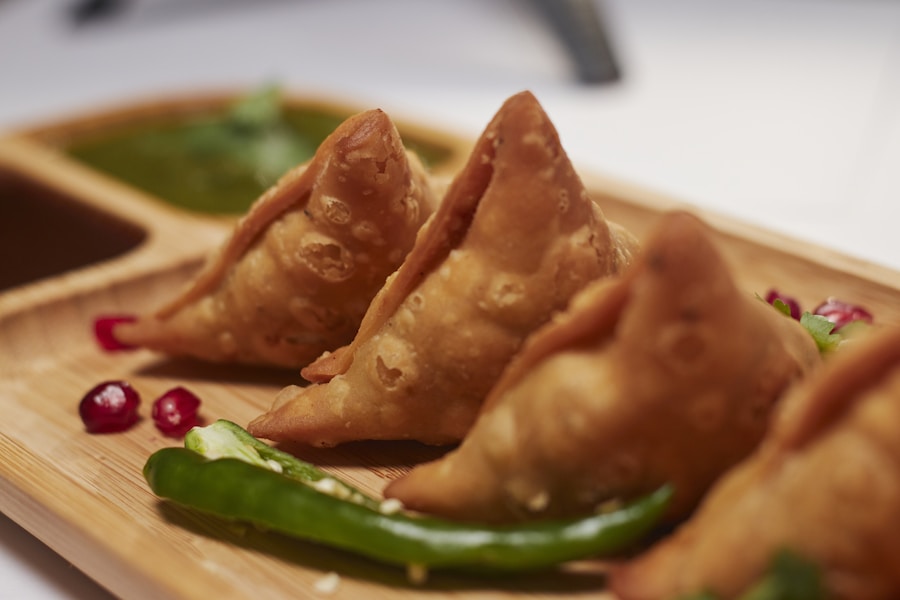
Tomato & Potato Beef Brisket Stew
Tomato & Potato Beef Brisket Stew428 kcal · 32g protein
♥
Favorited · +8 XP

My Favorites · one tap of love

Tap favorite — the heart jumps, XP lands. Dishes you want to cook go to your list automatically; every action is instantly rewarded.

— Constraint Filters Three boundaries before the draw
Calorie range
Any ≤350 kcal ≤450 kcal
Cookware I have
Wok Rice cooker Air fryer
Ingredients on hand
Tomato Eggs Leave empty for no limit
Pool narrowed · ready to draw

Constraint Filters · three boundaries before the draw

Calorie range, cookware, and ingredients on hand live folded inside the draw screen, opened when needed. Bound the pool first, then let the spellbook draw — “daring to decide for the user” only works because the constraints are real.
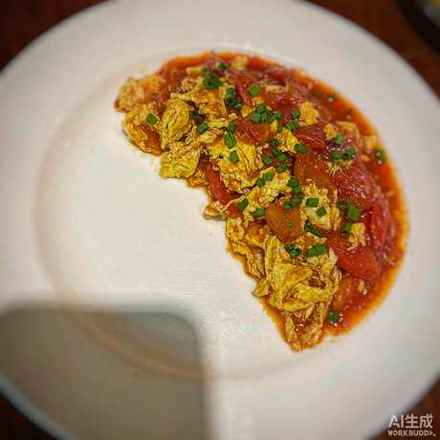
All 50 Meat Mains Vegetable Dishes Soups

Recipe Library · browse freely when you don’t want to be guided

Search, category tags, and grid browsing — the same data as the home collection. The right to decide for yourself is kept too.

2
Stove Apprentice263 / 2000 XP · 21% of this level
Lv1 Lv2 Lv3 Lv4 Lv5 Lv6
Page Rookie → Stove Apprentice → Kitchen Warlock → Flavor Keeper → Meal Master → Recipe Sage

Magic Levels · every level has its own title

All six levels are lit by real cooking: check-ins, favorites, kept sets… XP caps at 2000. No pushing, no pressure — just remembering for the user.

07 / INTELLIGENCE

Random,
never arbitrary.

The draw is only the surface — why each dish lands on the table and what every draw avoided is written out in plain sight.

Explainable draws · every dish arrives with a reason

Reasons aren’t copy — they’re computed from real rules: fits your dietary goal, matches taste preferences, enough protein, quick to cook… If one dish doesn’t land, “Swap” replaces only that dish — a different category first — without overturning the whole set; a one-line summary then explains where the set came from.

1 meat Steamed Sea Bass 34g protein, filling
1 vegetable Garlic Broccoli On the table in 15 min
1 staple Scallion Egg Pancake Discovery slot · a change of taste against “always the same few dishes”
Drawn from 50 dishes in “Balanced Home Style”, avoiding your restricted foods.

Discovery slot · saving a seat for surprise

The biggest risk in recommendation is narrowing. In every draw, the algorithm takes one dish from outside the current constraint pool — one you haven’t cooked — to fill one seat: most dishes follow your taste, but one seat is reserved for “never considered, but very likely to love.” Discovery dishes must still pass your restrictions.

A set that follows your taste + ✦ plus one discovery dish

Restrictions end to end · set once, applied everywhere

Allergens unchecked in the preference profile are filtered in sync across the draw pool, the discovery slot, and the Nutrition Advisor — and before answering, the advisor proactively notes “restrictions applied.” Not labels — a product-wide gate.

Eggs Milk / dairy Soy Gluten Fish Shellfish Nuts Sesame
Draw pool → discovery slot → Nutrition Advisor — filtered in sync at all three
08 / ARCHITECTURE

The invisible parts
deserve the most care.

Pages only render; logic is split into domain services; the cloud has a single entry point. If any layer fails, the user should never see a blank screen.

Presentation layerWeChat Mini Program
12 pages 3 custom components Custom navigation bar Skyline rendering 4-item TabBar 750rpx responsive
Logic layerDomain-split services
cloudApiService · single entry for cloud APIs cloudSyncService · sync & fallback storageService · local persistence recipeService · recipe search & ranking nutritionAdvisorService · nutrition advice levelService · XP & levels
Data layerWeChat CloudBase · single cloud function
mealApi recipe.* magic.* advisor.ask weekly.generate fridge.match checkin.* achievement.get feedback.* analytics.*
Fallback pathA usable interface, always
wx.cloud.callFunction fails → HTTP endpoint takes over Cloud unavailable → local storage keeps working Feedback submission fails → cached locally for sync Image fails to load → gradient with fallback text
// All cloud capabilities converge into one action naming convention: domain.action
const cloudApiService = {
  drawMagicMenu: (payload) => call("magic.menuDraw", { ...payload }),
  askAdvisor:    (question) => call("advisor.ask", { question }),
  matchFridge:   (ingredients) => call("fridge.match", { ingredients }),
  awardExperience: (type, key) => call("experience.award", { type, key })
};

// The call layer has built-in fallback: cloud function → HTTP endpoint — failures never surface as errors to users
async function call(action, payload) {
  try {
    const res = await wx.cloud.callFunction({ name: "mealApi", data: { action, payload } });
    if (res.result?.ok) return res.result.data;
    throw new Error(res.result?.error?.message);
  } catch (e) {
    return callByHttp(action, payload); // Channel two
  }
}
DATA MODEL

Recipes are first-class citizens

Every recipe carries 12 searchable fields: category, taste, difficulty, duration, servings, budget, cookware, suitable modes, pregnancy-friendly, allergens, substitutions, and four-part nutrition data. All recommendation logic is built on this structure — not on if-else scattered across pages.

ANALYTICS

Instrument first, optimize second

All key behaviors are logged: recipe views, search term length and result counts, blind-box draws, nutrition question length, whether the disclaimer fired. “How will this feature be measured?” was answered at design time.

GOVERNANCE

Content & operations under control

Site name, home greeting, announcements, maintenance mode, and minimum client version are all cloud-configured. Recipes can be added, edited, or removed from the admin console — no release needed.

From one observation about daily life to a product you can tap and run —
one person, one AI-assisted workflow.

09 / HIGHLIGHTS

What’s worth keeping,
and what’s in progress.

Product highlights, reusable design methods, and the roadmap for what’s next.

✓What went right
  • The through-line is tight. It only solves “decide this meal for you” — never fell into the “let’s do everything” trap. All 13 pages serve this one line.
  • Structure before interface. The recipe’s 20+ fields let the Blind Box, constraint filters, and the library share one filtering core — new features cost linearly, not exponentially.
  • Ritual is a memorable differentiator.“Opening the spellbook” turned a dry filtering action into an experience people remember.
  • Safety boundaries come first. Nutrition products overreach most easily; proactively declaring “not a substitute for medical advice” actually raised trust.
✓Methods that stuck
  • Constraints before randomness. Let users bound calories, cookware, and ingredients first — then let randomness happen. Credibility comes from the preconditions, not the algorithm.
  • Actions are the incentive. XP comes only from real cooking — explainable, auditable, with no ranking or pressure. Growth comes from being seen, not being pushed.
  • Visible states build trust. Feedback is visible from submission to adoption — adoption even earns 60 XP — turning users from consumers into co-creators.
  • Rules and semantics, layered. Keyword rules handle deterministic questions; an LLM takes the long tail — two tiers balancing accuracy and coverage.
→Next-phase roadmap
P0

Scaling recipe supply
Keep expanding structured recipes and connect external recipe sources.

P1

Menu share cards
Turn tonight’s set into a shareable image — distribution built in.

P2

Semantic nutrition dialogue
Bring in an LLM for long-tail questions, with the rule engine as fallback — accuracy and coverage improve together.

P3

Family collaboration
Extend two-person voting into multi-person menus and task splits, entering the family meal-prep scenario.